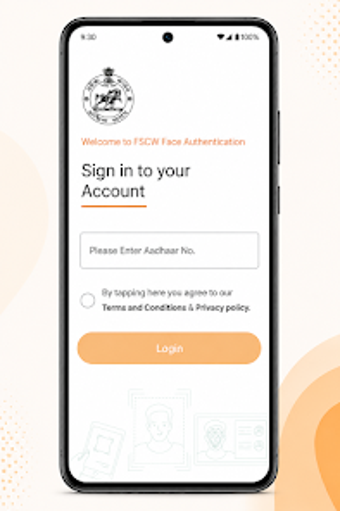
Government Aadhaar face-auth app for remote landowner verification
Experience a focused biometric consent tool: FSCW-Face Auth, from the Odisha State Civil Supplies Corporation (OSCSC), addresses verifying land owners during farmer registration. The app uses Aadhaar facial authentication to let land owners confirm registrations remotely, integrating UIDAI FaceRD for real-time identity validation and consent capture. Key elements include remote verification, integration with the Odisha Farmer Registration system, and guided biometric capture for reliable scans. It targets land owners, sharecropper coordinators, and government officials needing verifiable remote consent.
How the app performs remote identity checks
The app performs remote checks by invoking UIDAI's Aadhaar facial authentication, sending a live face capture for immediate matching against government records. Integration with the Odisha Farmer Registration system lets officials record consent as part of the registration workflow. This configuration removes the need for physical presence during sharecropper enrolment and provides a documented consent path tied to the land owner's Aadhaar identity.
What the app requires from the device and network
The app runs on Android and requires the Aadhaar FaceRD (L0) service app to be installed for biometric processing. Success of an authentication depends on a device camera and an active internet connection, because real-time validation queries UIDAI services. These dependencies mean results vary with camera resolution and network stability rather than with local storage or settings.
Whether it protects biometric privacy and data
The developer declares the app uses the Aadhaar FaceRD service for live matching and does not store biometric data on the device. Real-time identity validation is performed against government records, and the app is published by a government corporation responsible for farmer support programs. Those two facts together reduce the need for third-party biometric handling in the registration flow.
How approachable it is for non-technical users
The interface includes guided biometric capture and simple prompts such as removing spectacles and aligning the face in-frame, which helps non-technical land owners complete scans. Instructions on lighting and positioning are explicit, so typical users can follow them with minimal assistance. Government officials remain the primary administrators, so the tool suits household land owners who have basic smartphone literacy and adequate connectivity.
Practical for administrative use, with a connectivity caveat
FSCW-Face Auth is a pragmatic option for land owners and officials who need verifiable remote consent within government registration workflows; its strengths lie in official integration and in-procedure validation. The main caveat is reliance on device camera quality and network access, which can reduce effectiveness in low-connectivity or poorly lit rural conditions. Tip: perform scanning during good lighting and steady network access to improve success rates.